Your machine can reach an internal network: a database, a jump host, an internal dashboard. Your teammates can't. The usual fixes are VPN accounts, firewall tickets, or opening the port to everyone and forgetting to close it again.
PortRelay turns that into three steps:
1. The **agent** exposes an internal target on a port of the **edge gateway**.
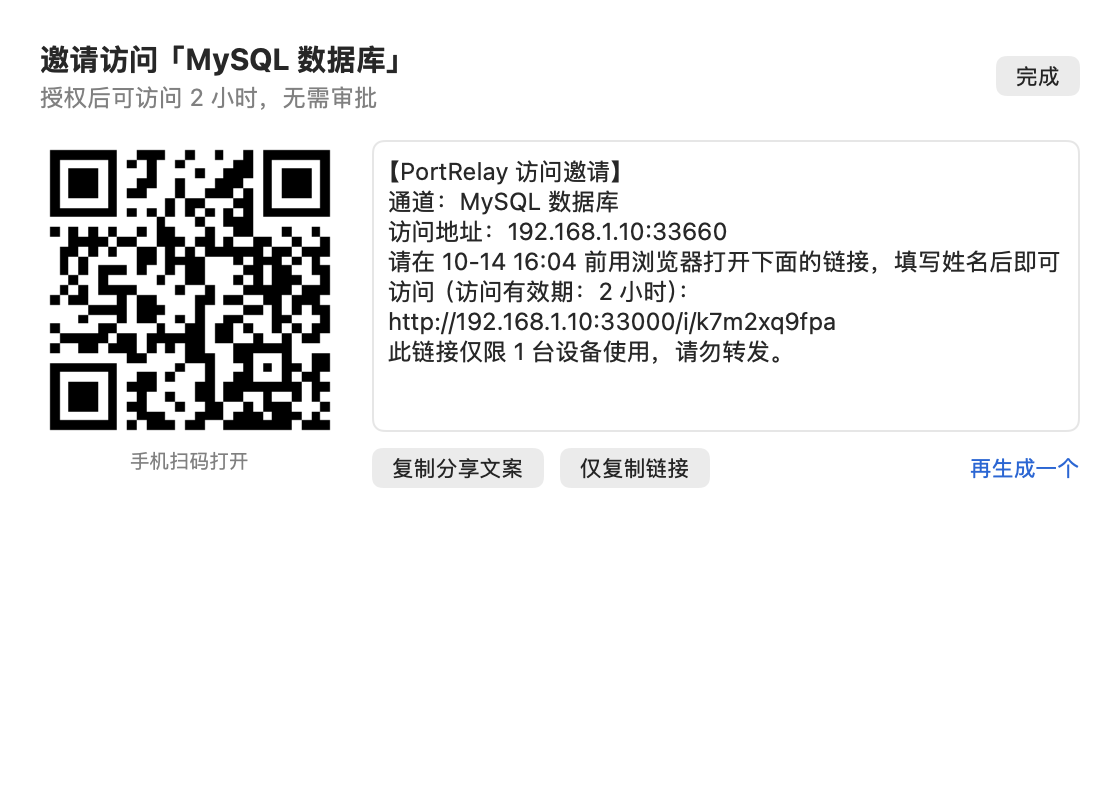
2. You send a teammate an **invite link** (or QR code).
3. They open it and enter their name. Their device can then connect for a limited time. Access ends when it expires, when the tunnel sits idle, or when you revoke it, and live connections are cut immediately.
> [!TIP]
> **No particular network setup is required.** The machine running the agent only needs to reach **both the target network and the edge gateway**. How the agent reaches the gateway is up to you: the same LAN, a corporate VPN, Tailscale, ZeroTier, WireGuard, or a gateway with a public address. The agent only dials out and opens no inbound ports.
> [!NOTE]
> The user interface (macOS app, web panel and invite pages) is currently in Simplified Chinese.
## Contents
- [Features](#features)
- [Screenshots](#screenshots)
- [How it works](#how-it-works)
- [Quick start](#quick-start)
- [Configuration](#configuration)
- [Security model](#security-model)
- [FAQ](#faq)
- [Development](#development)
## Features
**Access control**
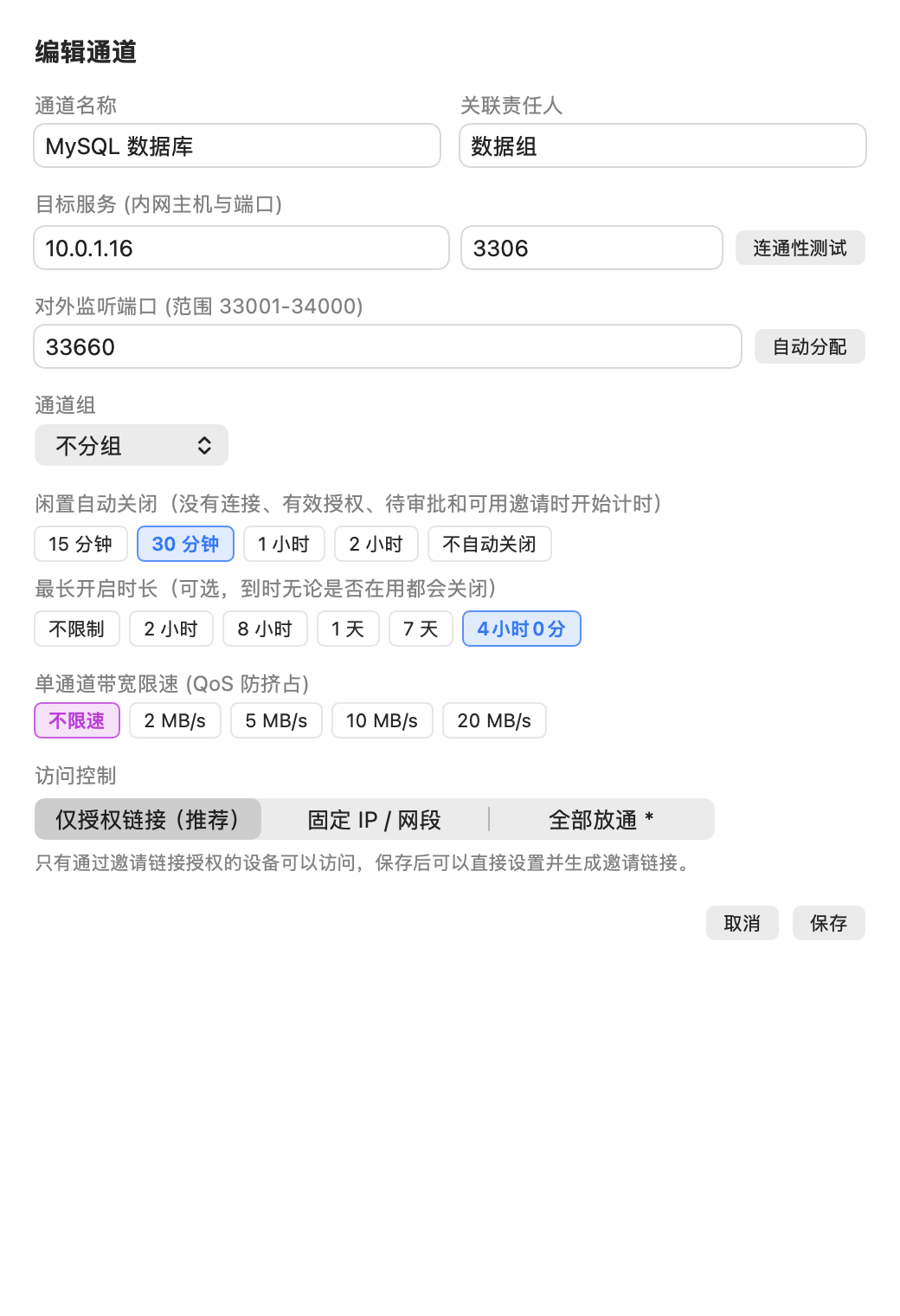
- Three access modes: **invite-only** (the default and safest), an IP / CIDR allowlist (which can be combined with invites), and open to all.
- Each invite link has its own expiry, device limit, access duration once granted (1 h, 2 h, 8 h, until end of day, or until the tunnel closes) and an optional approval step.
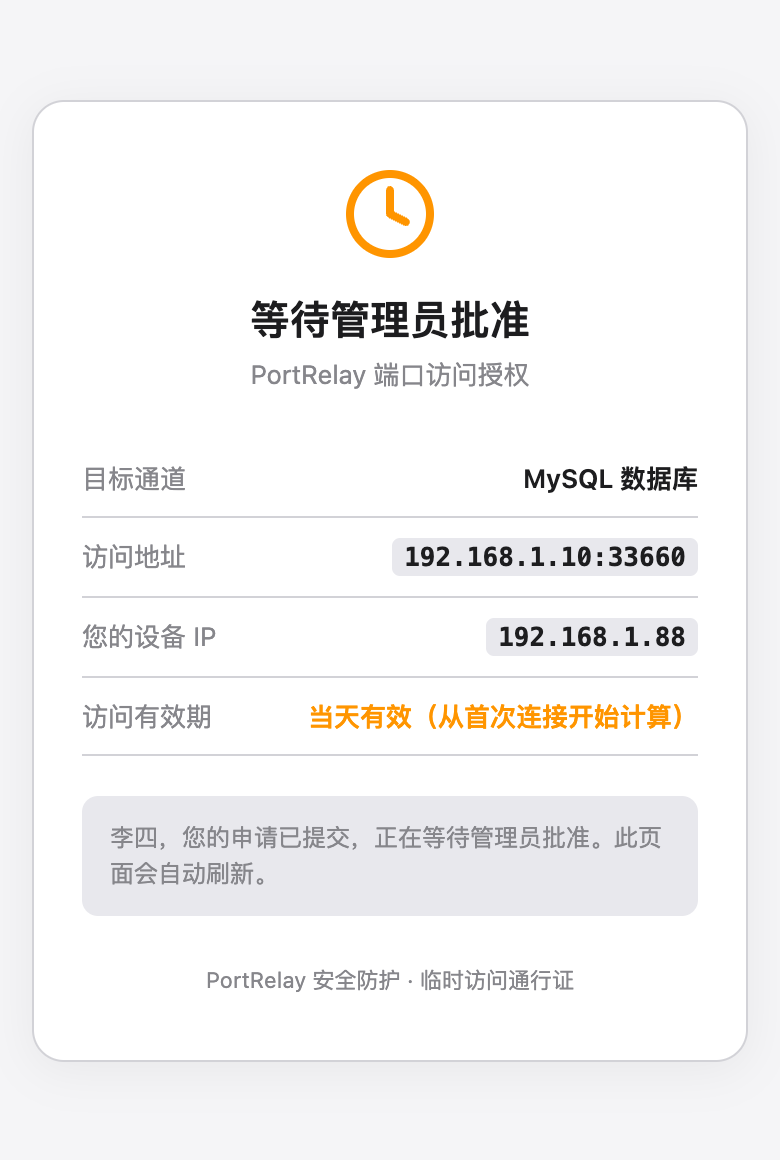
- When approval is required, the app shows a system notification and you approve or deny with one click. The requester's page refreshes on its own.
- **The access clock starts at the first connection**, so a teammate can accept an invite now and use it later.
- When access expires or is revoked, **existing connections are dropped too**. Unauthorized connections are reset (TCP RST) and logged.
- **Tunnel groups**: the add-tunnel form takes a list of targets, one host per row with comma-separated ports (a pasted list of IPs is split into rows), creates one tunnel per address on a contiguous block of gateway ports and puts them in one group. A group shares one invite link and one set of grants: a teammate is authorized once for the whole group, and one revoke disconnects them everywhere.
**Tunnel lifecycle**
- **Idle auto-close.** The idle timer starts when a tunnel has no connections, no active grants, no pending requests and no invite links with uses left. By default the tunnel closes after 30 minutes of idle time.
- An optional **maximum open time** closes the tunnel at a fixed point, whether or not it is in use.
- While any address in a group is in use, the whole group counts as in use; members are switched on and off together.
- PortRelay records the first-connection time, the actual connected time and why each tunnel was closed.
- Editing a tunnel keeps existing connections. Moving a tunnel binds the new port before releasing the old one.
**Observability**
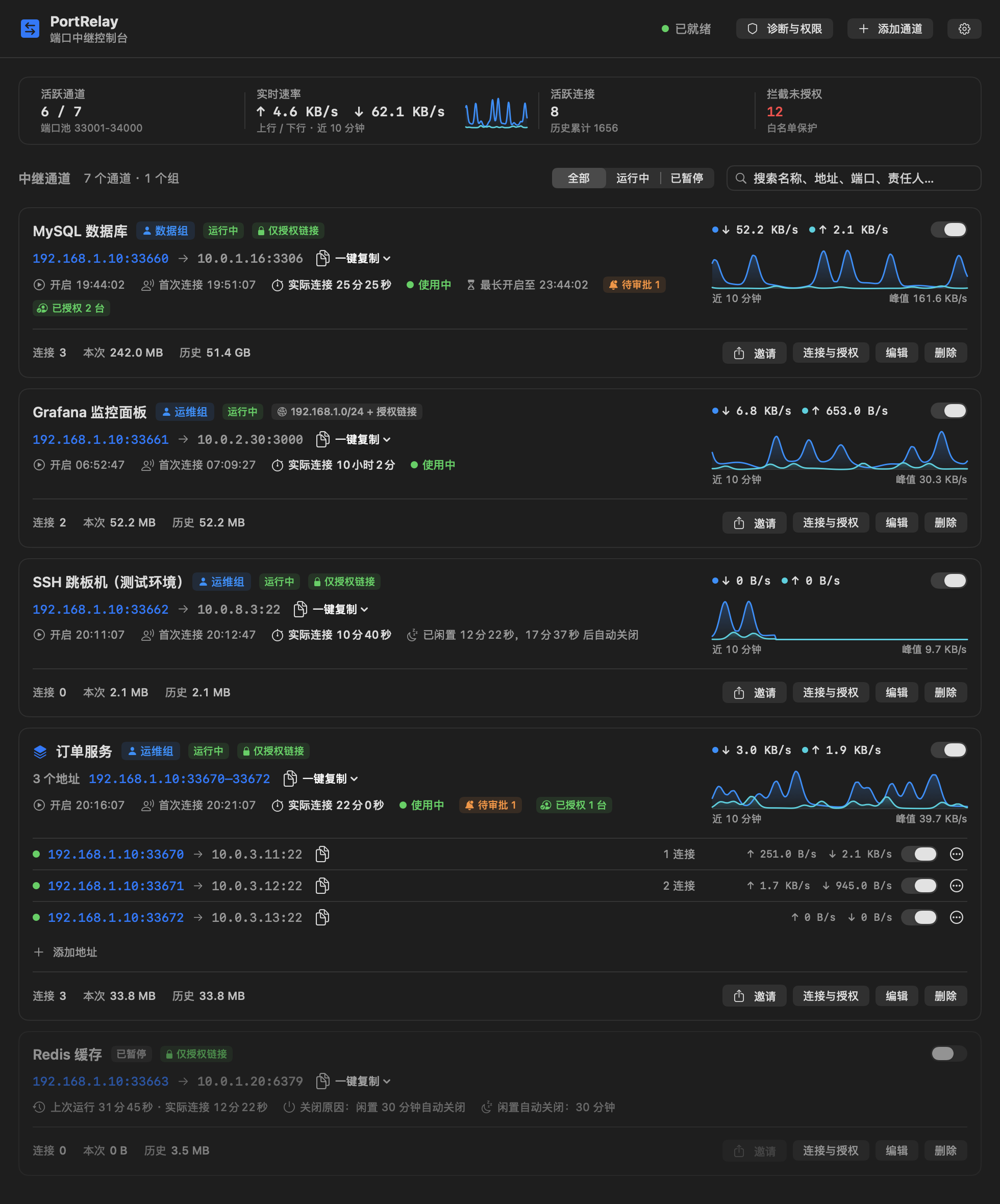
- A 10-minute traffic chart for each tunnel, plus live rates, connection counts and session/total bytes.
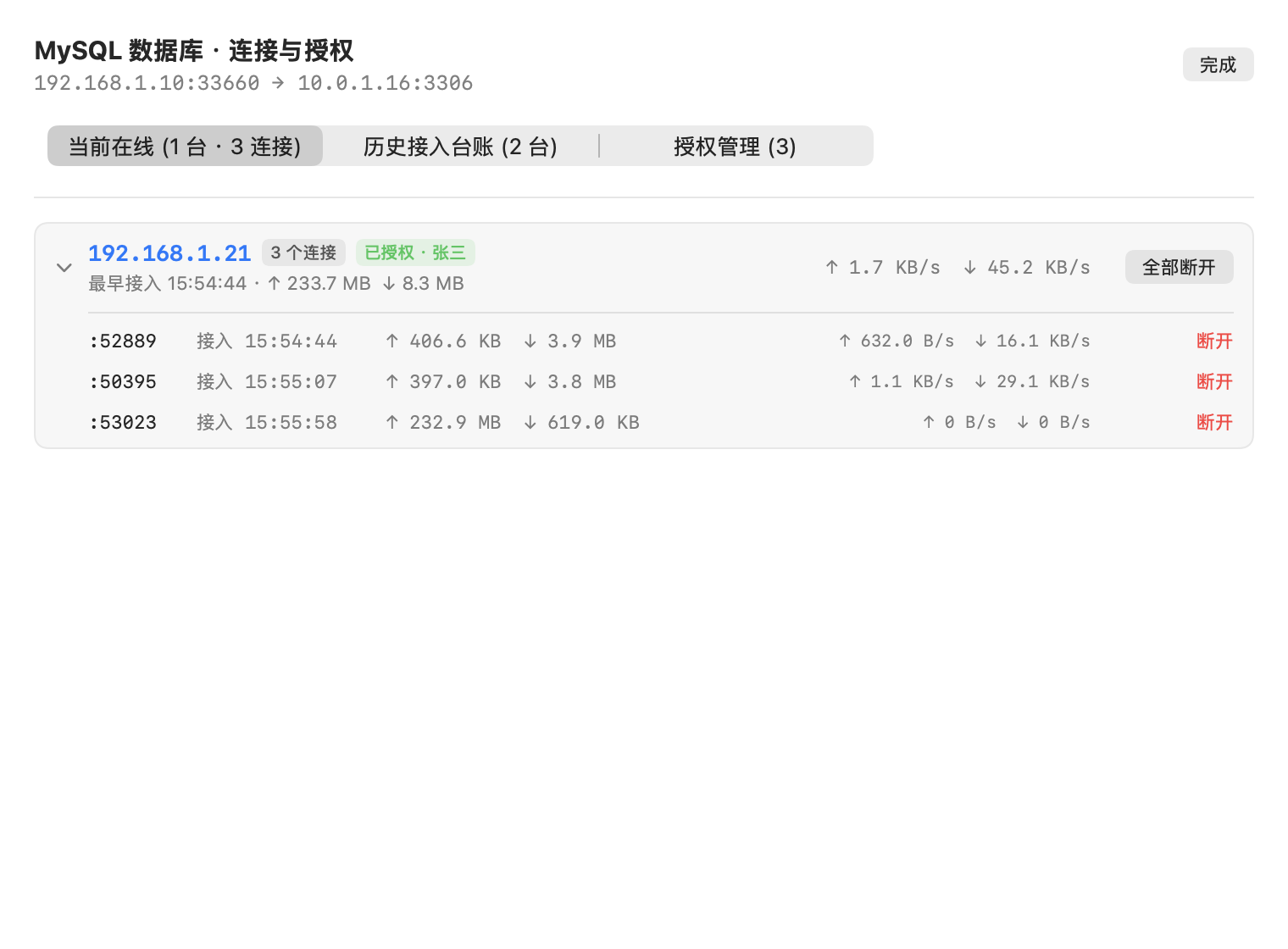
- Online devices are grouped by IP and can be disconnected one by one. The connection history is grouped the same way.
- Per-tunnel bandwidth limit in MB/s.
**Clients**
- A native macOS menu-bar app (SwiftUI). Closing the window leaves only the menu-bar icon; quitting from the menu also stops the background agent.
- An embedded web panel with the same features on Linux and Windows.
- Tunnel search, including pinyin initials (for example `sjk` finds “数据库”), and a status filter.
## Screenshots
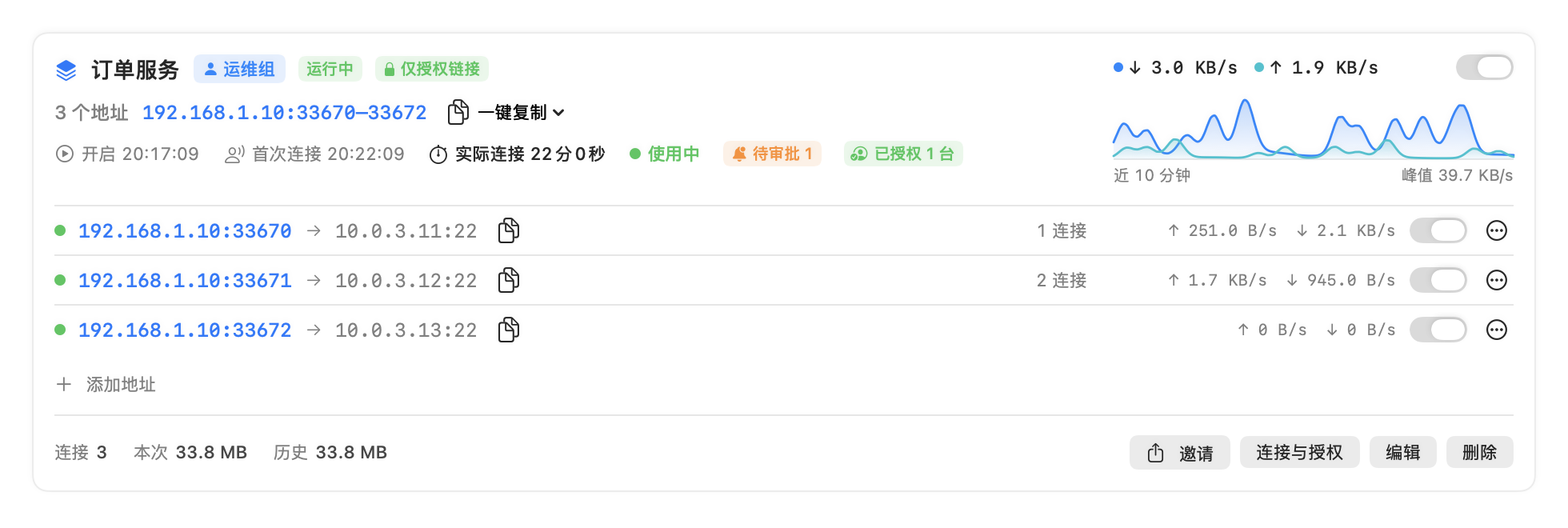
A tunnel card: access address, grants, connected time and the last 10 minutes of traffic (sped up)
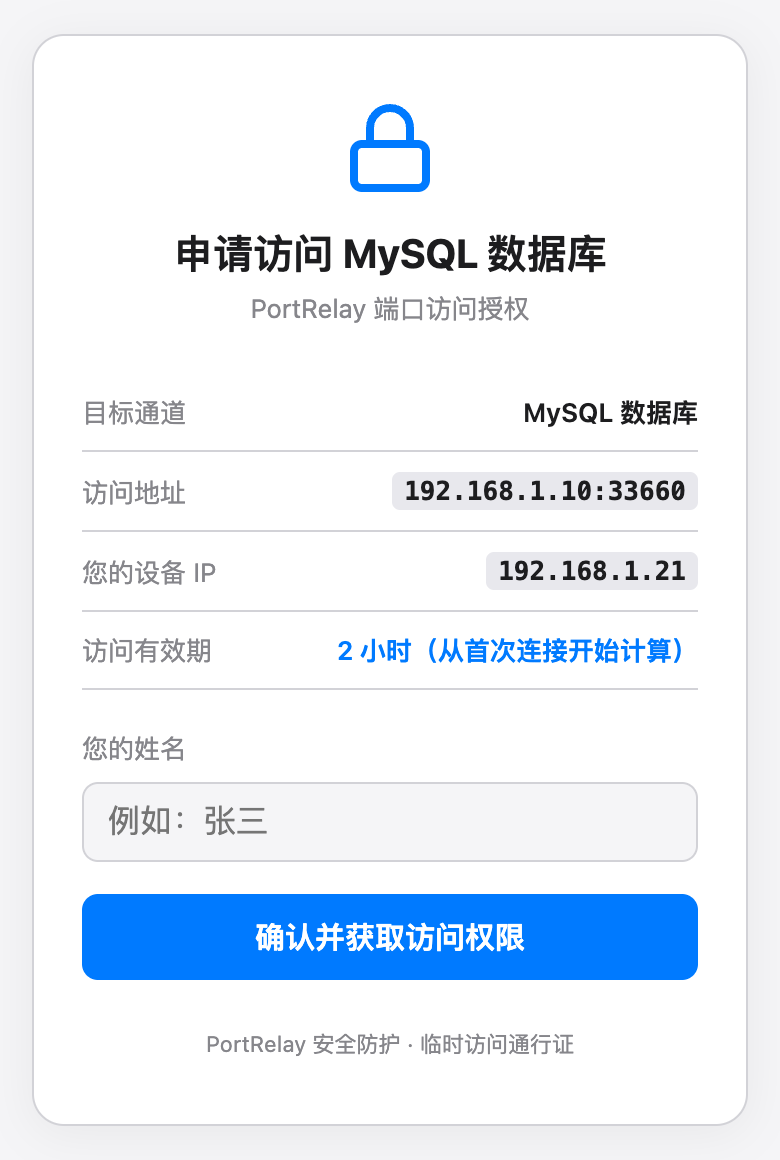
**Invites.** Generating an invite gives you a ready-to-send message and a QR code. The teammate opens the link on a phone or laptop and enters their name. If approval is required, they wait on a status page that updates when you decide.
① Open the invite link
② Wait for approval (optional)
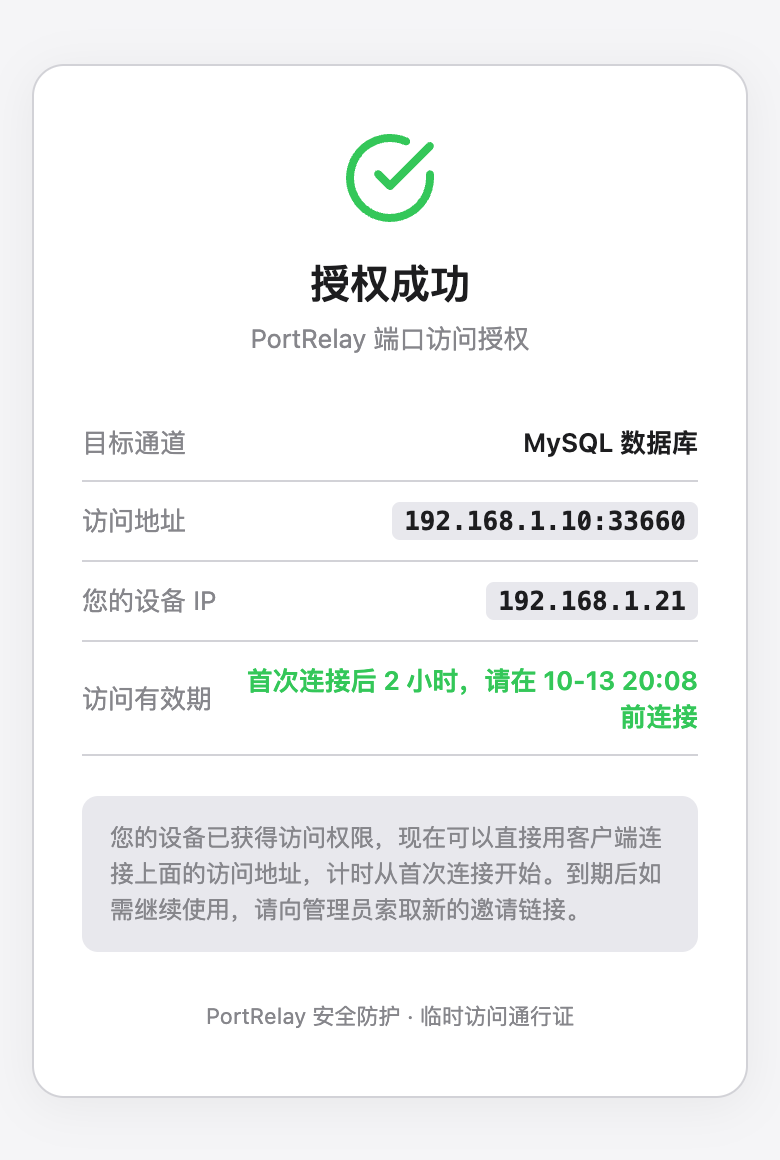
③ Access granted
**Tunnel groups.** A group card sums up the state and traffic of the whole group and lists every access address. Each address can be switched, invited or moved out on its own.
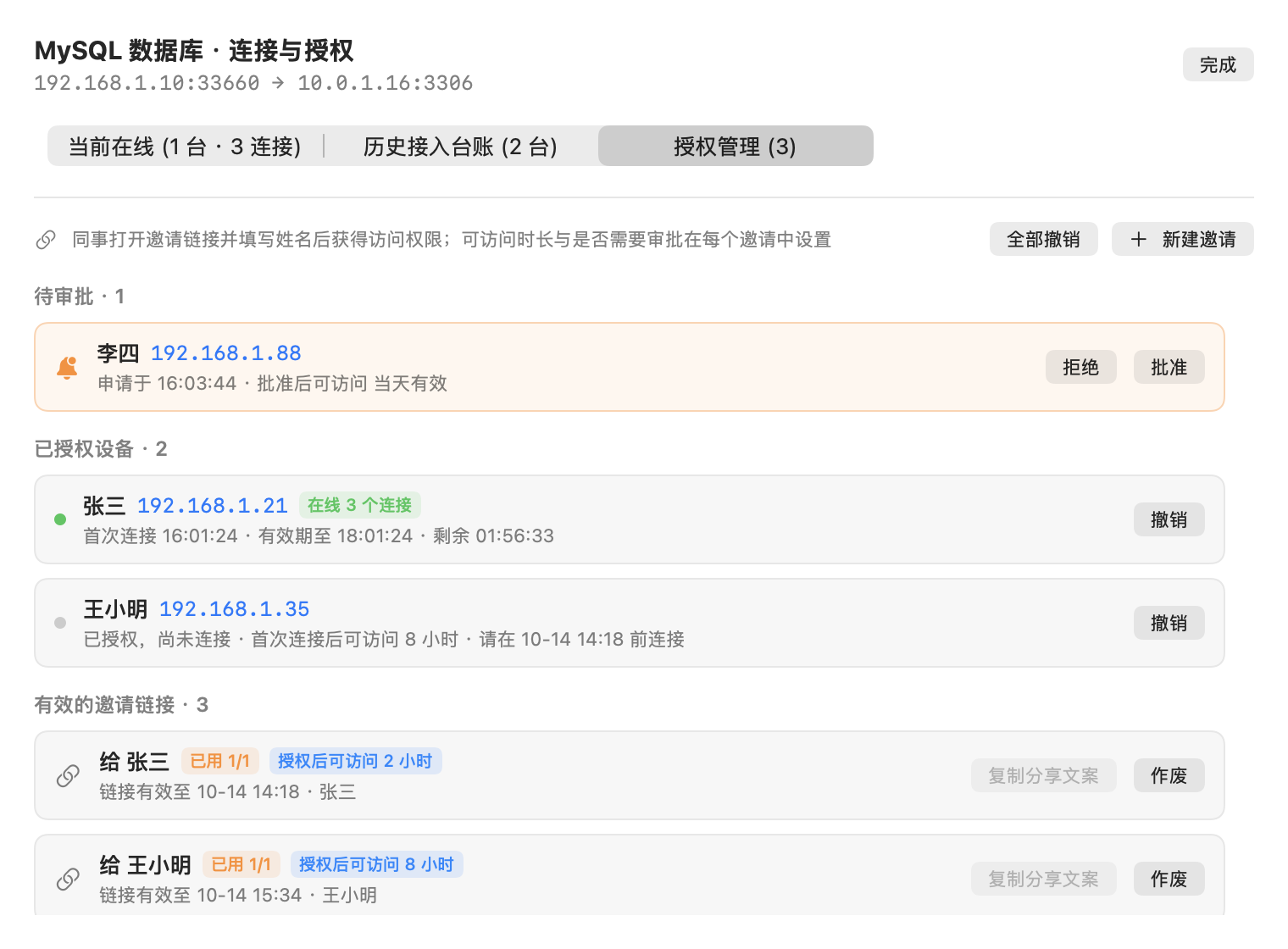
**Access management.** Pending requests, authorized devices (with online state and remaining time) and active invite links are all managed in one place.
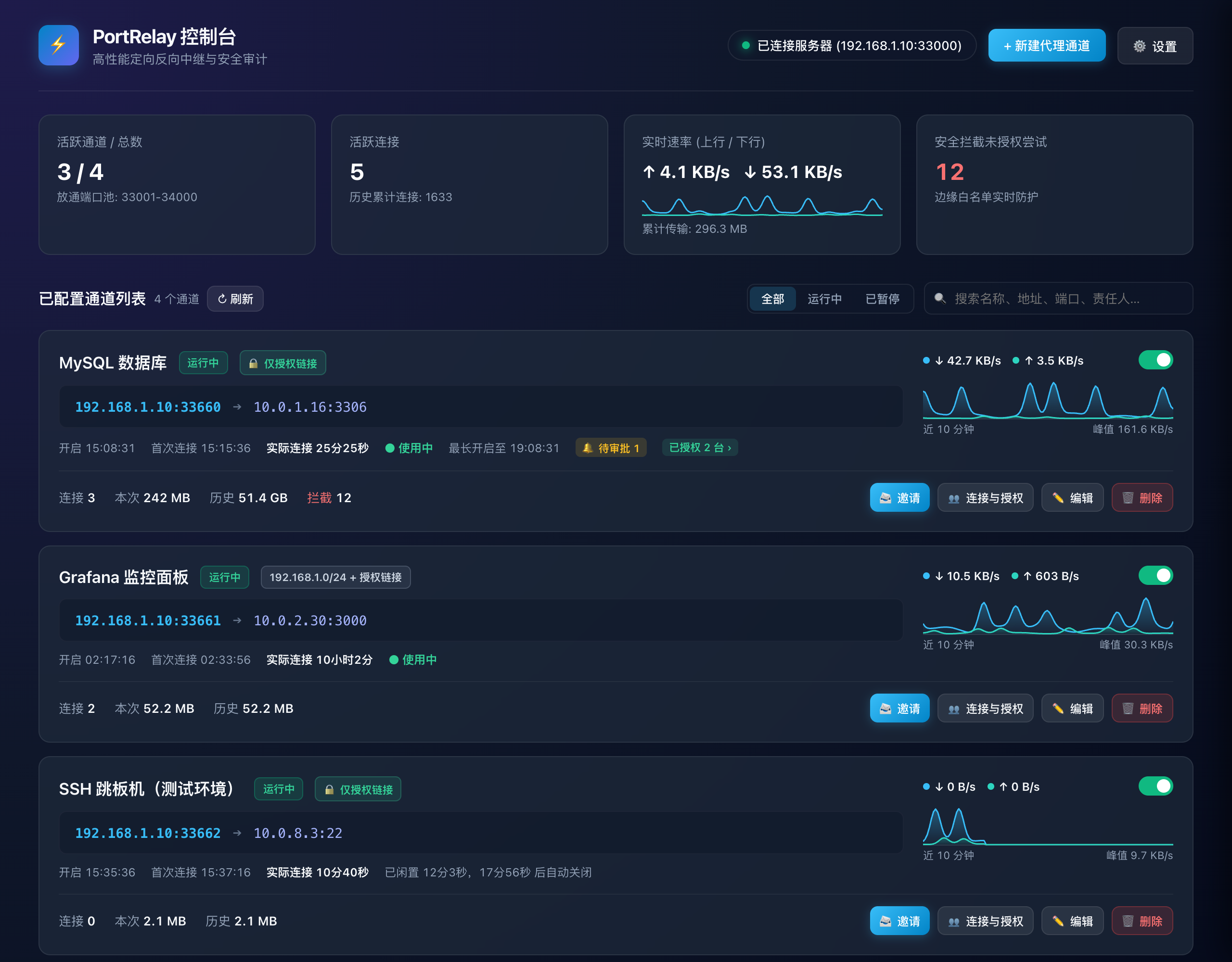
Web panel and more screenshots
Without the macOS app, the agent serves a web panel at `http://127.0.0.1:33080`:
Edit tunnel: access mode, idle close, max open time